
How to remove stains from old photos

Most stains on old photos have soaked into the paper or the image layer, so no amount of cleaning lifts them. Leave the print alone and remove the stain on a copy.
The stains you are likely to find
Coffee and tea rings, brown tape and glue marks from old albums, ink from a pen pressed through from the back, fingerprints that have etched into the surface, and foxing, the small rust-coloured spots that grow in damp paper. Each is a discolouration of the picture rather than a hole in it, which is exactly the kind of damage a digital repair handles well.
Before you photograph it
- Do not use water, solvents, erasers or stain removers on a print; they lift the image along with the stain
- Leave old tape in place, because peeling it off takes the image layer with it
- Wipe loose dust off with a soft dry brush, and stop there
What to run, and in what order
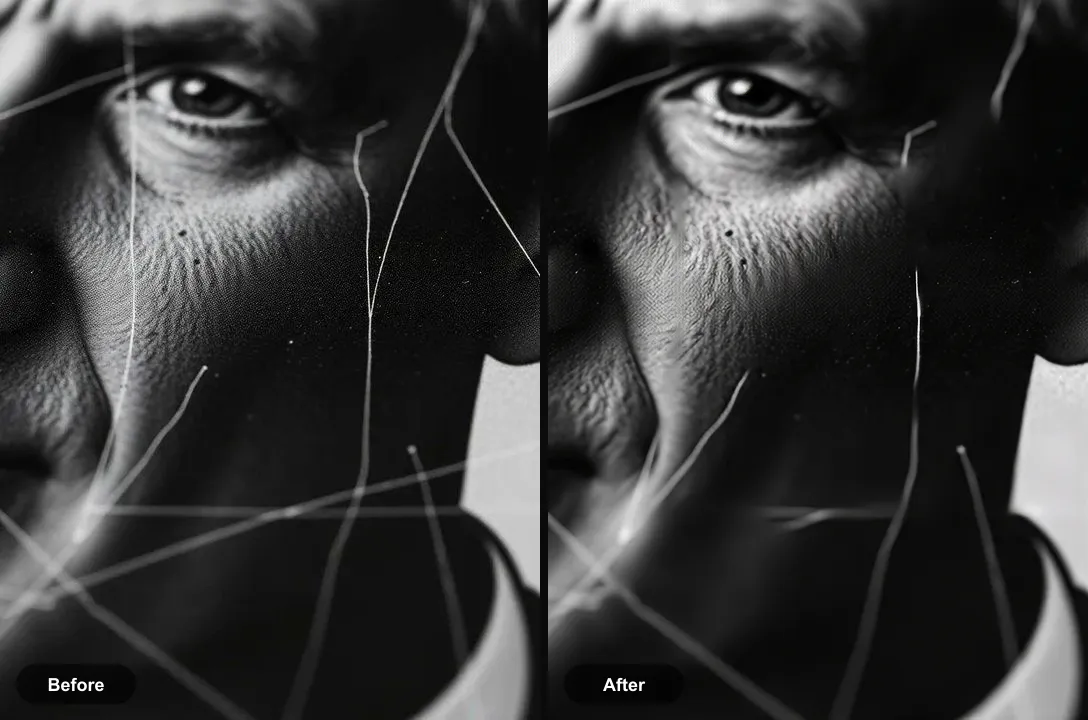
Run Repair on the capture. Because a stain discolours the image without removing it, the tool can usually recover the tones underneath rather than invent them. Dark, opaque stains such as ink are harder: there the tool rebuilds the area from its surroundings, so check faces closely.
The tool for this is Repair a damaged photo.
What to expect
Usually fixable. Coffee rings, foxing and yellow tape marks clear well. Dense ink and marker, which hide the picture completely, are reconstructed rather than recovered.
Practical notes
- Photograph the back too if the stain came through from there; writing on the back is often worth keeping
- Fingerprints on glossy prints are etched into the surface and show most under side light, so capture with frontal light
- If one print in an album is stained, check the facing page, since stains often transfer between them
Questions
How do you get coffee stains off an old photo?
Not with cleaning. The coffee has soaked into the paper and the image layer, and wiping it smears the picture. Photograph the print and remove the ring on the digital copy instead.
What are the brown spots on my old photos?
Usually foxing: small rust-coloured spots caused by damp and impurities in the paper. They are a discolouration, so a repair pass removes them well from a digital copy.
Going deeper
How to restore old damaged photos explains the method behind this, including what it cannot fix.