
How to make a blurred picture clear
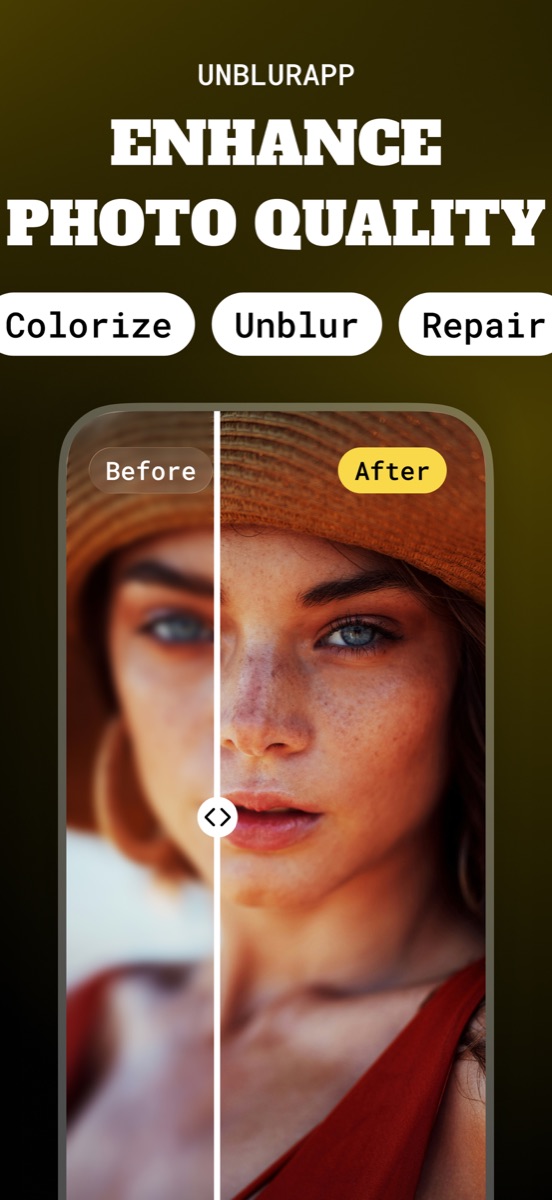
Clearing a blurred picture means rebuilding the edges the camera failed to record, which is a different job from sharpening. Open the photo in UnblurApp and tap Enhance now: the model reconstructs those edges and returns a clear copy in about a minute.
Sharpening and clearing are not the same operation
This confusion costs people a lot of wasted effort, so it is the first thing to settle.
A sharpening slider finds edges the file already contains and increases the contrast across them. It cannot create an edge that is missing, so on a genuinely blurred photo it hardens the smudge and amplifies the noise around it. The photo gets harsher and no clearer, which is the crunchy over-processed look everyone recognises.
Clearing a blurred picture is reconstruction. The model works out what the scene most likely was and rebuilds the edges accordingly. That is why it succeeds where a slider fails, and also why the result is a very good guess instead of a perfect recovery.
Three taps to a clear picture
- Open the blurred picture
Choose it from your camera roll. Screenshots and saved images work the same as camera shots.
- Tap Enhance now
The model reconstructs edge detail across the frame while a progress bar runs.
- Compare before saving
Drag the slider across the result. If the subject is a person, check the eyes first.
Photos where the subject is a face are better served by Restore Faces, which uses a model built for facial structure instead of the general one.
Which blurred pictures clear up
Sort your photo into one of three buckets and you will know what to expect before you start.
Camera shake shows as a directional smear, often with a slight double edge, and clears up well because the detail is present but spread sideways. A focus miss looks evenly soft with something else in the frame perfectly sharp, and also clears up well. Heavy compression looks mushy and slightly blocky, and clears up poorly, because the detail was discarded by an encoder rather than misplaced by a lens.
The third case is not hopeless, it just needs a different tool. Upscaling generates plausible detail where none survives, which is the only option once the information is genuinely gone.
The clue most people miss
Look at the background. If part of the frame came out sharp while your subject did not, the camera focused on the wrong thing, and that kind of blur is the most recoverable of all. If every part of the image is equally soft, either you moved or the whole shot was out of focus, and the result will be good but less dramatic.
This takes five seconds and tells you whether to bother.
Stop making blurred pictures in the first place
Three habits fix most of it. Tap the screen on your subject before shooting, since phone cameras guess focus and frequently guess wrong when something is closer to the lens. Brace your elbows against your body in low light, because the shutter stays open longer than you think. And take three frames instead of one when the subject is a child or an animal, then delete two.
None of that helps with the photo you already have, which is what the app is for. It does mean the next batch needs less rescuing.
Questions people also ask
Can you make a blurred picture clear without an app?
Desktop editors can improve mild blur with careful sharpening, and browser tools handle simple cases. Both tend to cap the export size on free tiers, which throws away the detail you just recovered.
Why does my photo look worse after sharpening it?
Sharpening raises contrast on edges the file already has and amplifies the noise between them. On a blurred photo there are no clean edges to work with, so the result is harsher without being clearer.
Related guides
How to unblur a photo on your iPhone
Unblur a photo in three taps. What causes blur, which blurry pictures can actually be saved, and how to remove blur from a photo on iPhone.
Read the guide →
Remove blur from a photo online, free
Fix a blurry photo online free. Which blurry pictures can be saved, where free tools cap you, and how to get a full-resolution result from your phone.
Read the guide →
How to unpixelate an image
Pixelated image fix that actually works: why sharpening makes it worse, how AI upscaling rebuilds detail at 4x, and where it stops working.
Read the guide →