
Remove blur from a photo online, free

Free online deblurring works well on camera shake and mild focus miss, and poorly on anything heavily compressed. The processing is rarely the limitation. The export is, so check the file size of the result before you run a batch of photos through any tool.
Decide in ten seconds whether it is worth trying
Zoom into the part of the photo you care about. If you can make out what the subject is, even fuzzily, there is structure for a model to work from and the odds are good. If the region is a featureless smear, no tool is going to give you back a face that was never recorded.
A second signal: look for anything in the frame that came out sharp. If the background is crisp and your subject is not, the camera focused on the wrong thing, and that kind of blur responds well. If every part of the frame is equally soft, you moved, and motion blur is the more difficult case of the two.
Where free tools put the wall
- Run one photo end to end
Process it, download it, and open the downloaded file.
- Compare dimensions with your original
Smaller output means the tool traded your resolution for its free tier.
- Only then process the rest
Do the batch once you know what you get to keep.
Browser deblurring tools generally process at full quality and restrict the download. Expect one of three things: a watermark, an export capped at roughly 1000 pixels wide, or a daily allowance of two or three images.
This matters more with blur than with most edits, because the whole point is detail. A deblurred photo handed back at a quarter of its original size has had the recovered detail thrown away on the way out of the door.
Doing it from a phone instead
Most blurry photos live on a phone, which is where browser tools are at their weakest. Uploading through a mobile browser means the file picker, a slow upload, an account prompt and a download that lands somewhere awkward.
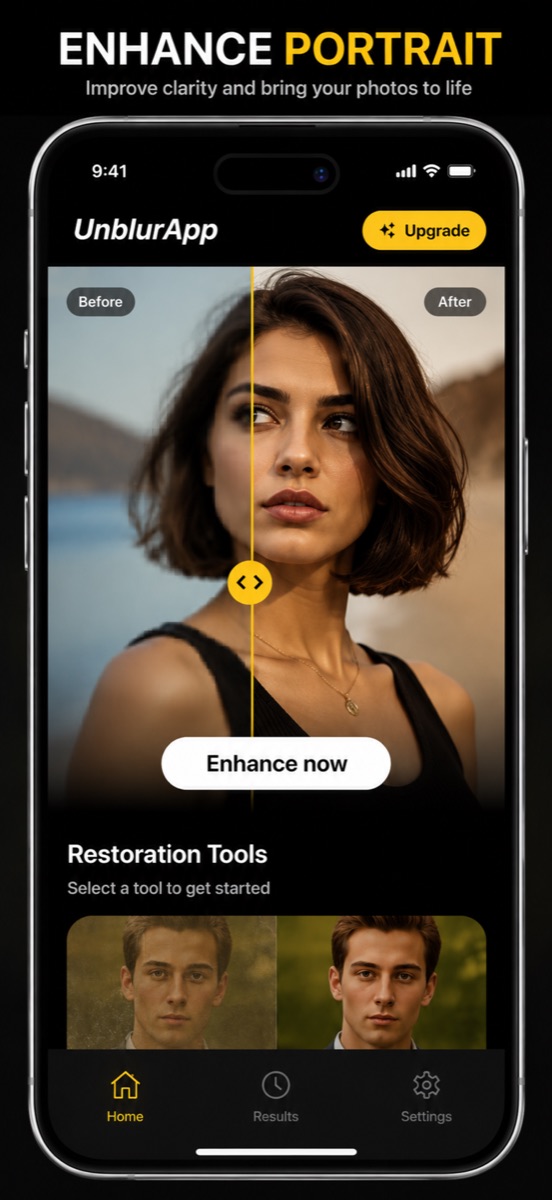
An app skips all of it: the camera roll is right there, the result saves back to the library, and the original is untouched. UnblurApp is free to download, and a run takes about a minute.
Compression is the case that disappoints people
A photo forwarded through several chats has been recompressed at every hop, and each pass discards detail permanently. Deblurring assumes the detail is present but badly distributed, which is the wrong assumption here.
Two things help. Look for a less-travelled copy: the original thread, the email attachment, the person who took it. Failing that, use an upscaler instead of a deblurrer, since generating plausible detail is the only option once the real detail is gone.
What free will not fix
Deliberate blur applied to hide something is designed to be irreversible, and no free or paid tool undoes it. Extreme motion, where a subject crossed the frame during a long exposure, leaves too little structure to work with. And a photo that is out of focus and heavily compressed and tiny is three problems stacked, which is usually one too many.
Questions people also ask
Can I remove blur from a photo online free without a watermark?
Some tools allow a small number of clean exports before asking for payment. Unlimited watermark-free deblurring at full resolution is uncommon, since each pass costs the operator compute.
Does removing blur reduce photo quality?
The processing itself does not. Losing quality usually comes from the export step, where a free tier hands back a smaller file than the one you uploaded.
Related guides

How to unblur a photo on your iPhone
Unblur a photo in three taps. What causes blur, which blurry pictures can actually be saved, and how to remove blur from a photo on iPhone.
Read the guide →
Free online photo restoration, honestly assessed
Old photo restoration online free: how the free tiers work, where the catch usually is, and how to get a full-resolution result without paying for a bad one.
Read the guide →
How to unpixelate an image
Pixelated image fix that actually works: why sharpening makes it worse, how AI upscaling rebuilds detail at 4x, and where it stops working.
Read the guide →